Contextualizing the problem
Over 16% of users reported having difficulty editing images on the Casar.com platform. This was the biggest pain they had in editing the site.
At Casar.com, couples can create their websites to announce their wedding and receive gifts from the invited people. That being said, it has always been very clear to us that couples want beautiful sites for the invited people to see.
The site is like the couple's brand!
Many even pay professional photographers to do pre-wedding and take several beautiful photos, so they can put these photos on their site and show everyone how much they are in love.
So far so good! But just imagine:
After taking several incredible photos and putting them on your site, you come across several of these photos distorted and even well cut, depending on the device you are using.
You don't have real control over how the photo appears on the site! After trying quite a bit, you might even be able to make it look nice on your computer… but maybe one of your invited people won't be as lucky on her cell phone.
But this perception didn't just come out of our “feeling”. As you saw above:
More than 16% of users reported having difficulty editing images! This was the biggest pain they had in editing the site.
We got this data from our “site editing survey”, which asks, from 1 to 5, what level of difficulty the user had in editing, the main points of difficulty and an open space for the user to tell a little more about her experience.
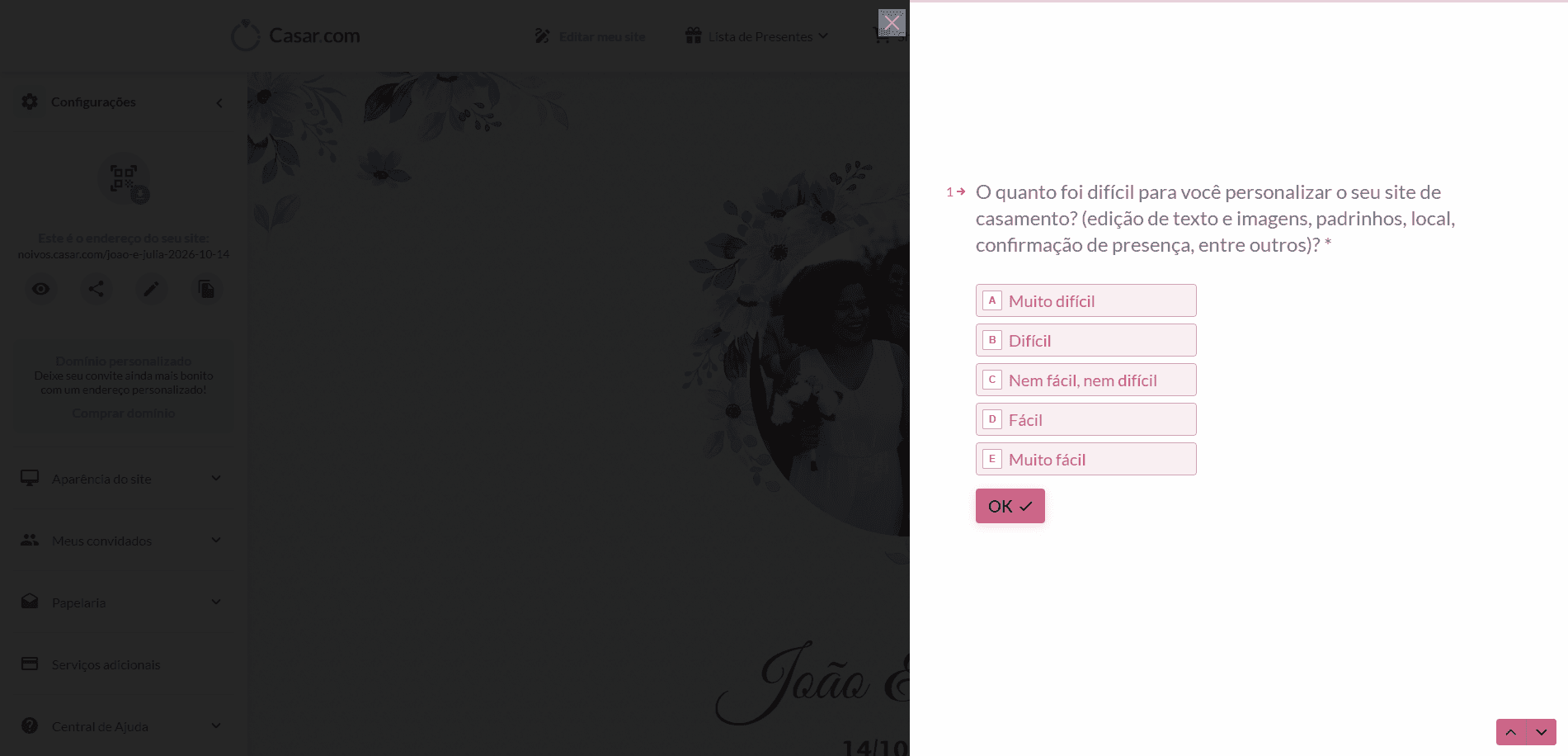
This survey is an interception method and was integrated with the platform by Typeform. It appears when the user makes her second edit and clicks on the save button. The editing survey, in conjunction with other surveys, helps populate Casar's Problem Space in a continuous way, which was and is very important in understanding the user and prioritizing the pains we will solve.
💡 If you are not familiar with the term “Problem Space”, take a look at this article below by Renato Caliari about the Triple Track Agile. I guarantee you won't regret it ;)
Triple Track Agile: a combination of Problem Space with Solution Space
In addition to the survey, the CX team received daily complaints about image editing. Often, the team even had to edit the users' images by hand so that the photos were the way they wanted, which took a lot of time.
Understanding what needs to be built
Analyzing the survey and collecting the CX experience, we confirmed the priority of solving this problem and could understand it better. With this, I used the How Might We (HMW) framework to assist in directing the construction of the solution:
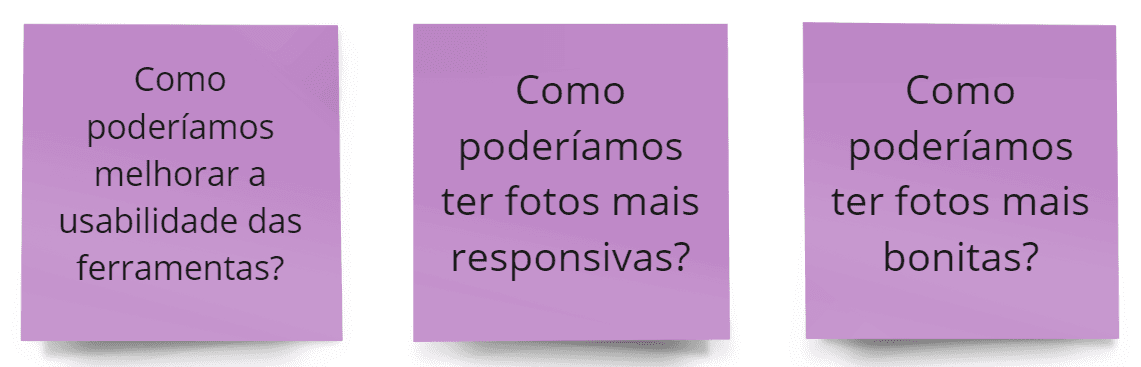
Most of this construction was done and documented using Miro.
Analysis of the current solution
With the direction defined, I analyzed the current solution to find points of improvement. I discovered that the platform had different photo editing experiences in different parts of it. Each one had different problems and needed to be analyzed separately. To give you an idea, one of them had no editing at all and the image was simply inserted.
Website cover photo
Extremely relevant
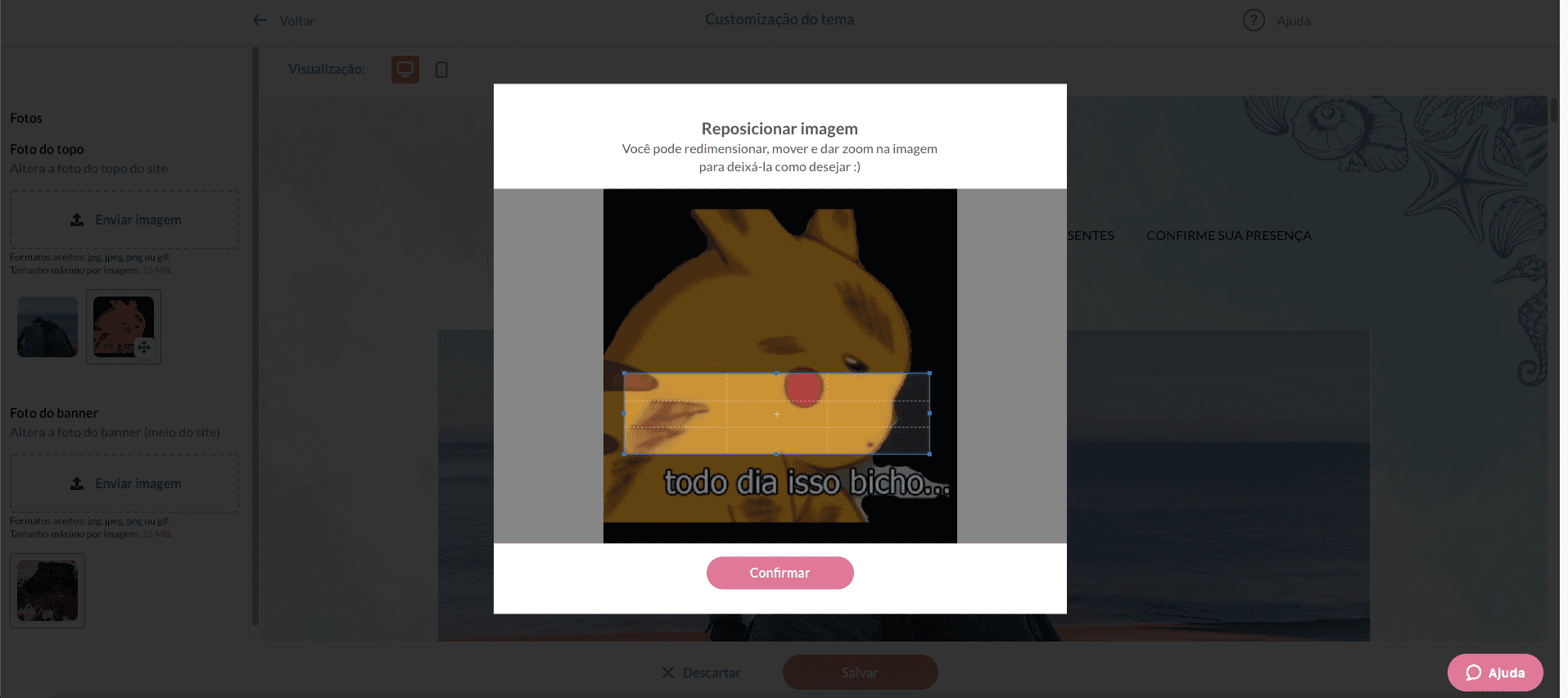
Identified problems:
- There is no specific crop or preview for mobile
- You can't cancel the action to change the cover image
- The crop is not in proportion to the theme, that is, even if the theme has a square cover image, the crop will still be in this rectangular format and the image will be super enlarged on the theme (note: each user can choose a different theme for the site, changing layout, colors, typography, etc…)
- You can't work with the image, it stays the way you uploaded it
- Users say it's hard to choose the image from the computer
- Users complain that the photo is in low quality
Images in the body of the site
Relevant
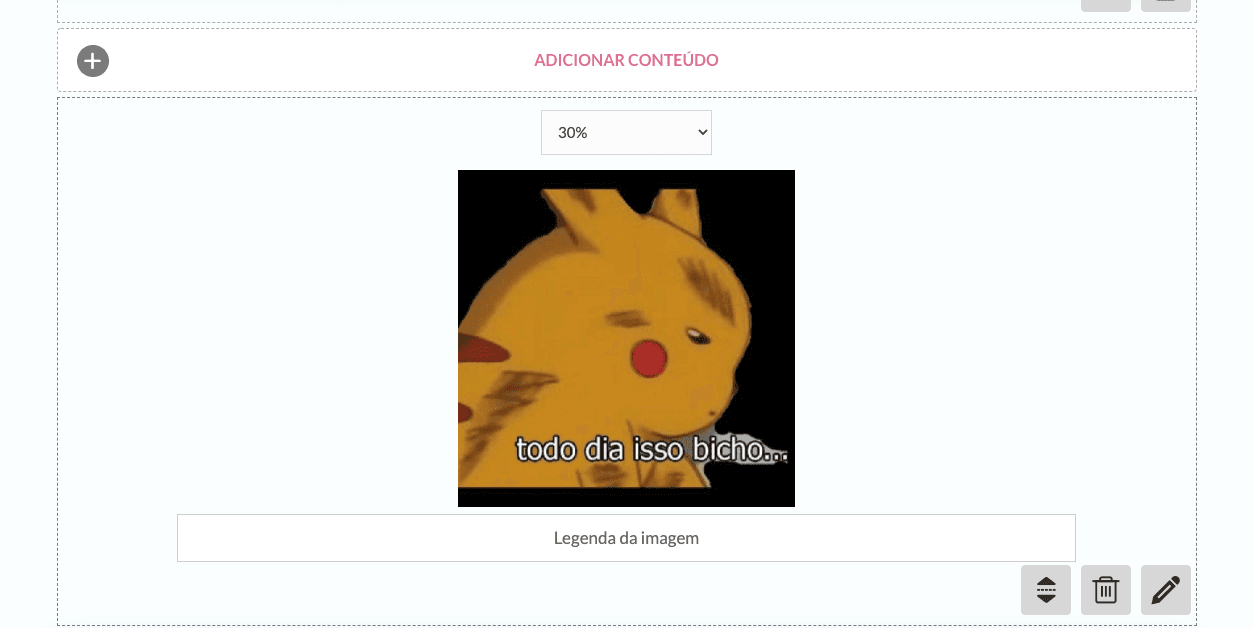
Identified problems:
- It doesn't even have a crop or edit
Bride and groom avatar
Not so relevant
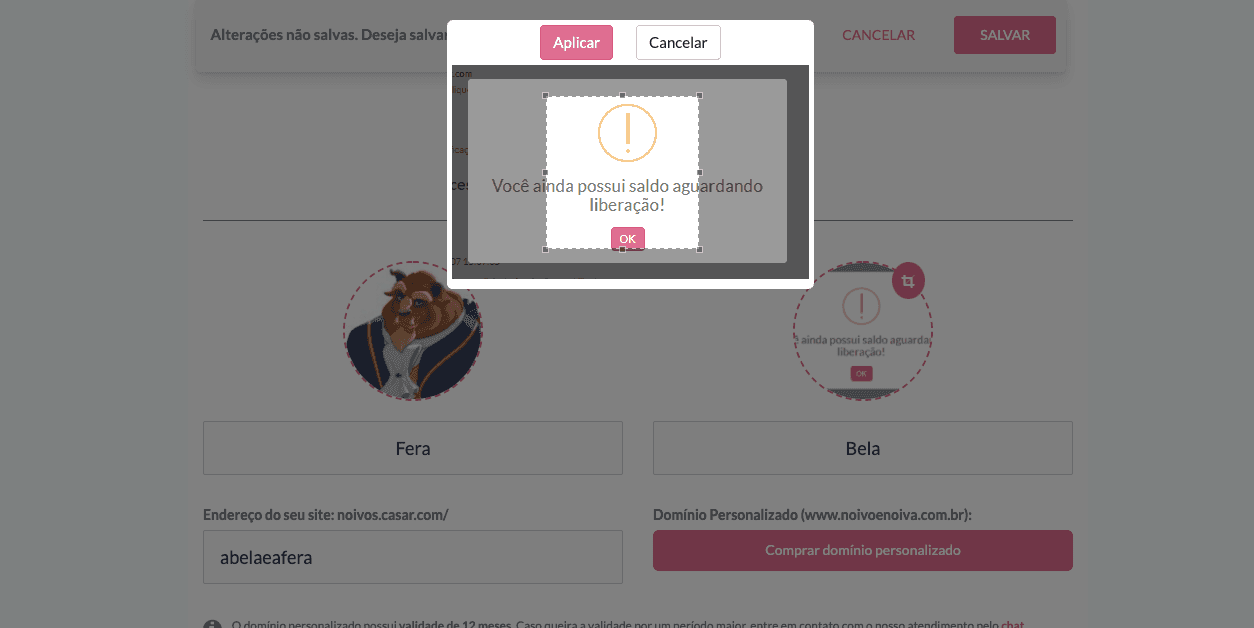
Identified problems:
- Very small, it's hard to select a face in a big photo
- Inverted buttons cause some strangeness
Creating a new custom gift with photo
Not so relevant, as we already have several gifts previously selected for the user to choose
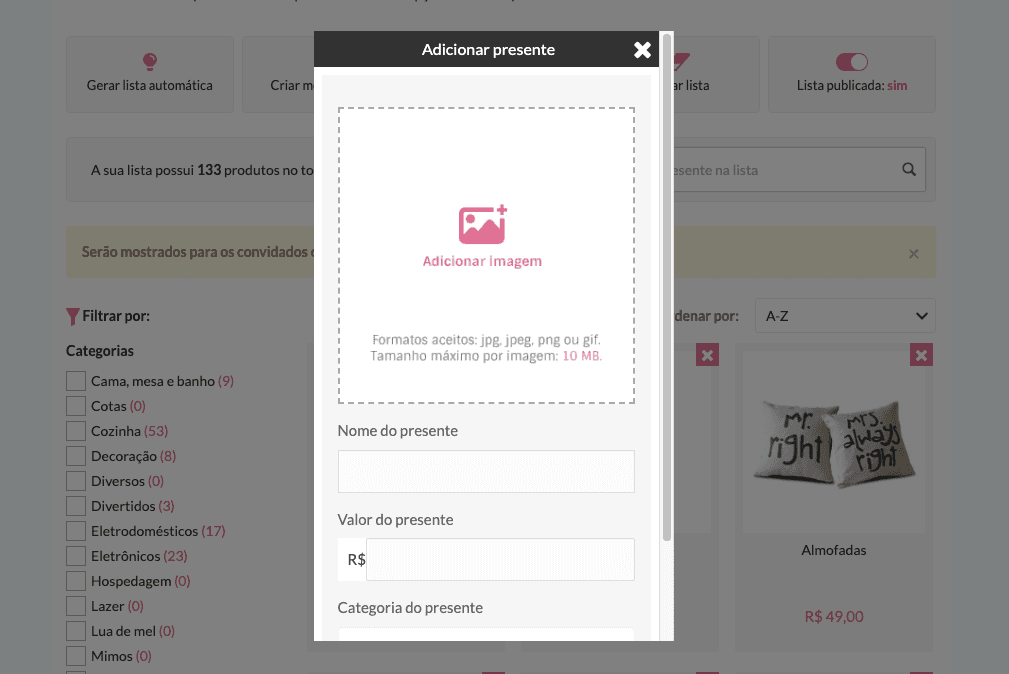
Identified problems:
- You can drag a photo from the computer and drop it there, unlike the others, but there is no feedback while it's being dragged that this will work
- After putting the photo once, there is nothing indicating how to replace it
- You can't apply any crop or edit
Competitor analysis
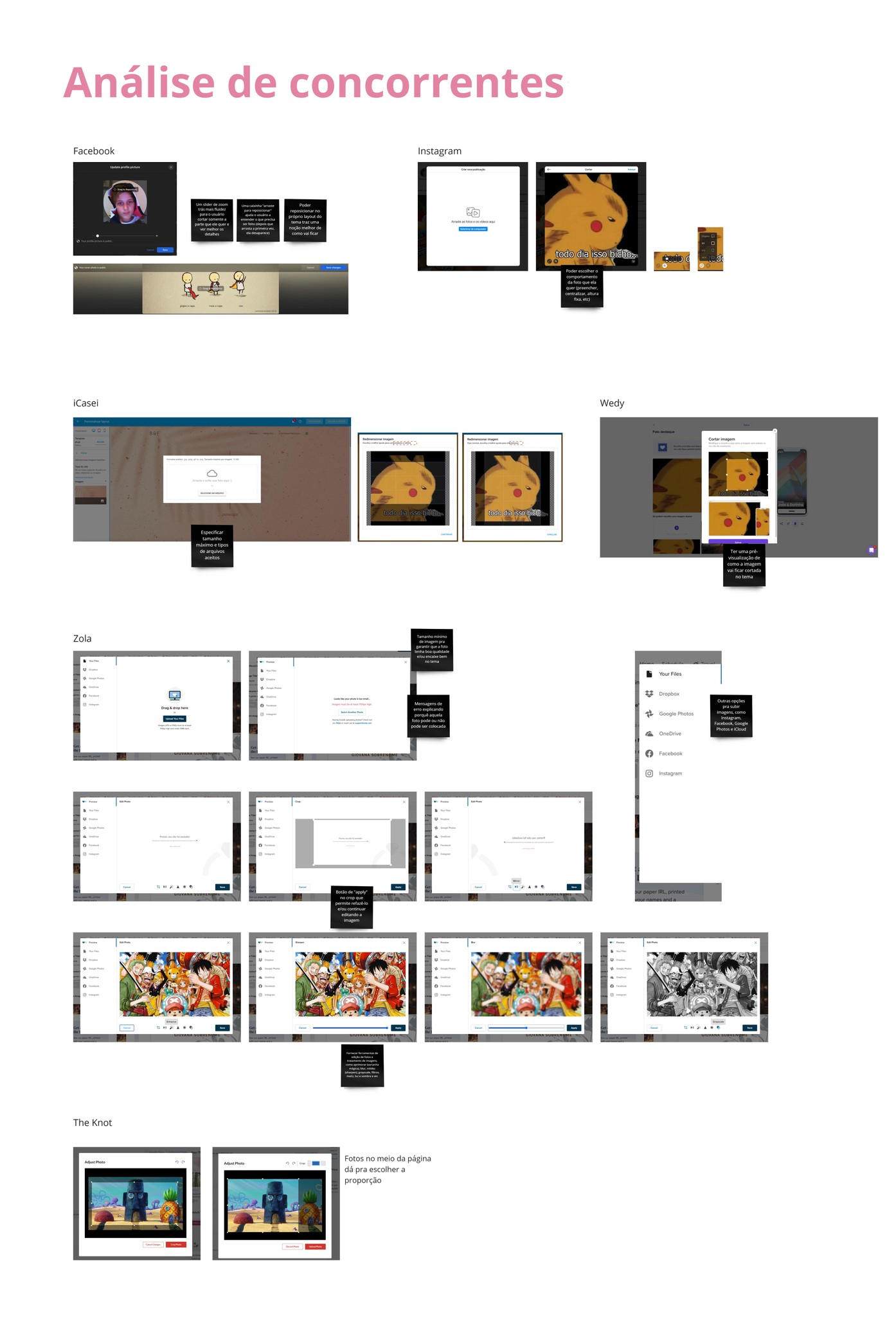
It was also important to look for references of well-done editing experiences to increase my repertoire on the subject. I was analyzing competitors and other references and documenting with prints and post-its on Miro.
From here, came important insights for ideation that contributed a lot to solve problems found in the analysis of the current solution.
Ideation and Prioritization
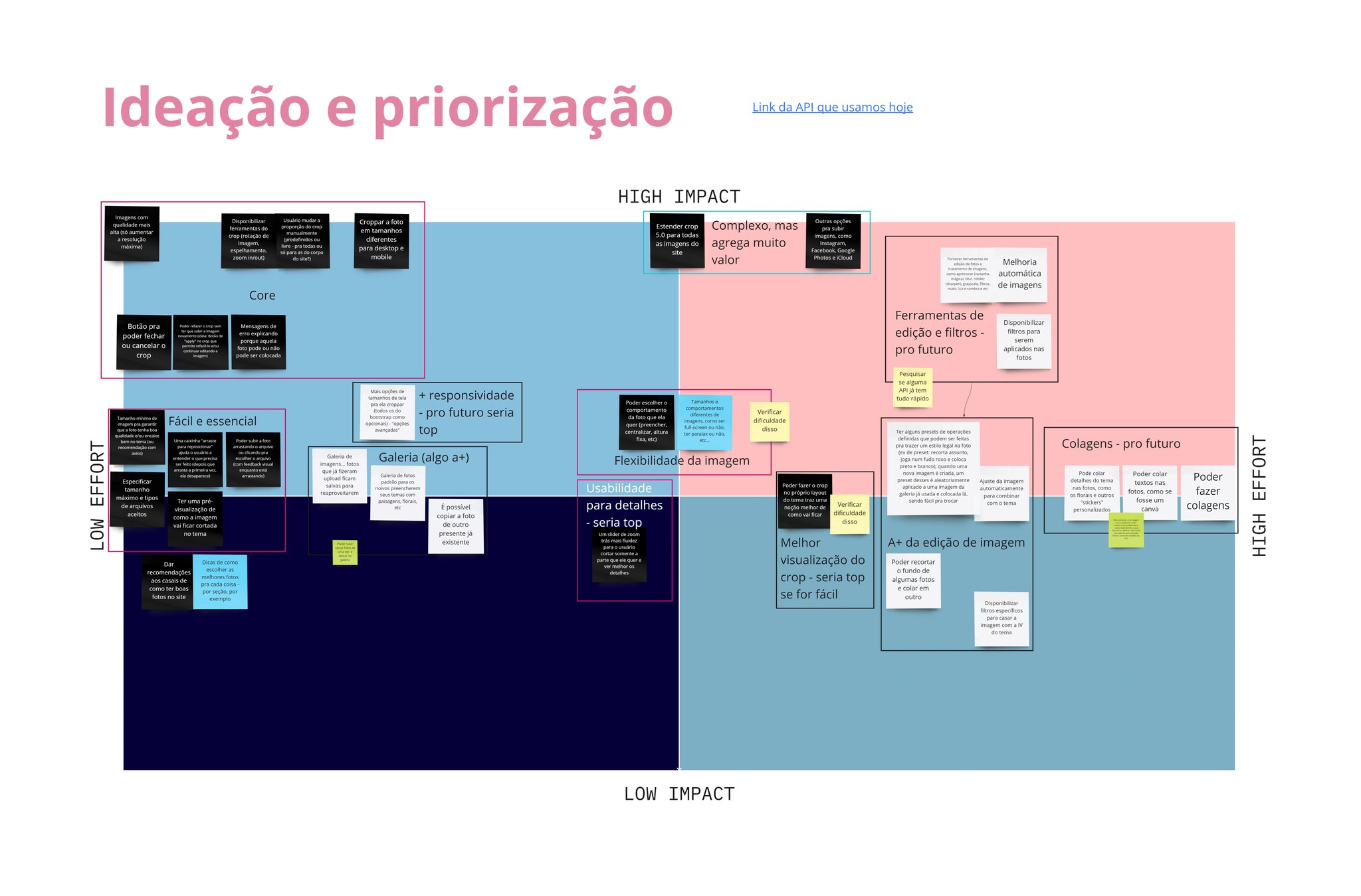
Using the 3 HMWs defined and the analyses carried out, I did an ideation to define possible paths where our solution could walk. At this stage, any idea is valid, even if we imagine it is impossible at first, it can still be adapted and present itself as a high-value innovation at a later time.
After the ideation, I prioritized each of the ideas in an impact x effort matrix and clustered the ideas so that they made sense together, thus, we could have several proposals for the final solution, from a more essential and simpler one, to one with more complicated increments, but still relevant.
Analysis of the editing API
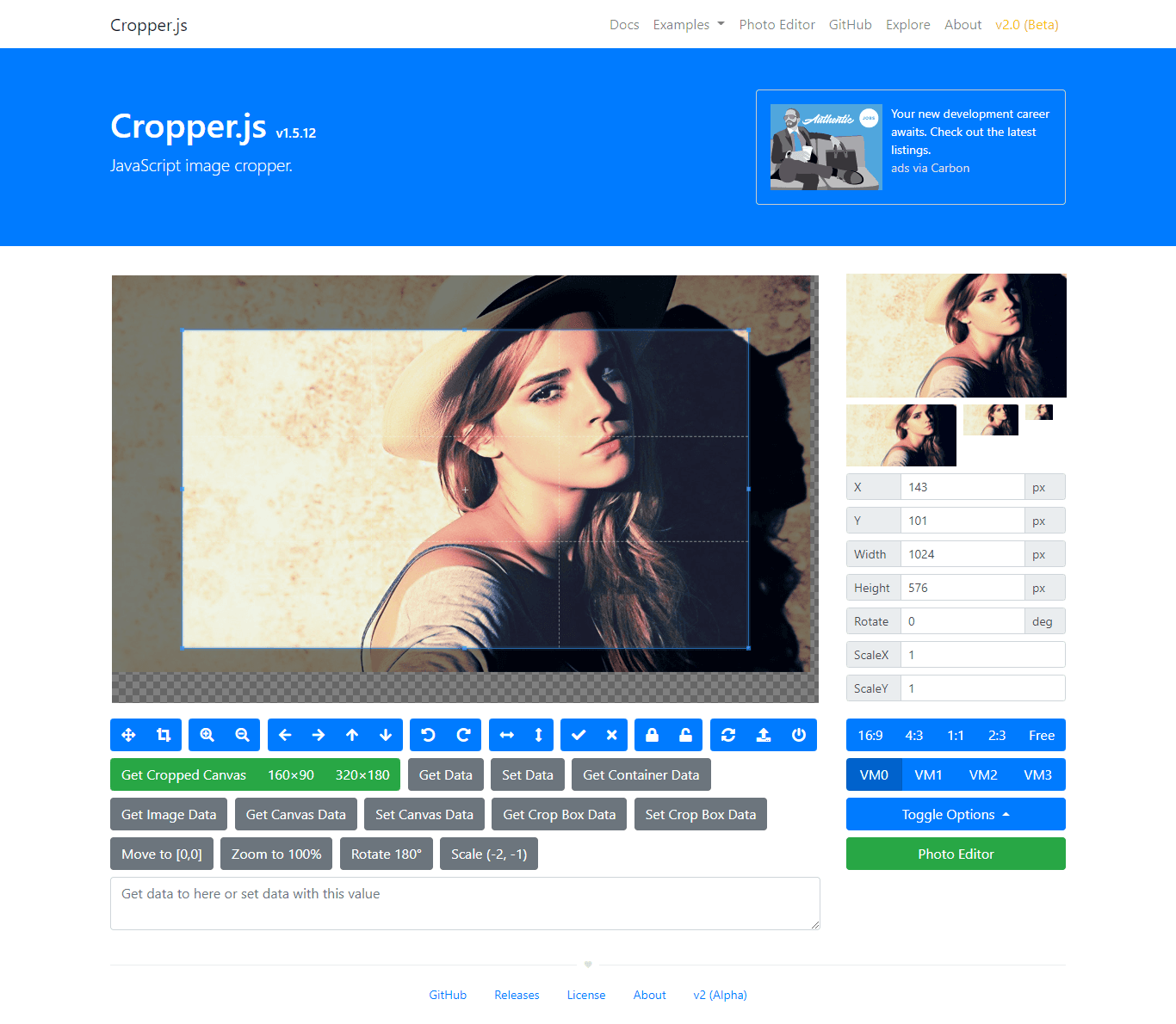
To enable some of my solution proposals, I decided to research and analyze different image editing APIs. However, early on, I realized that the API we were using at that time, the Cropper.js, had several of the most important resources we needed, thus, another solution proposal emerged more lean, but with the essential and with much less effort than the other solutions.
Building the solution
Solution proposals with sketches
Presenting the different solution proposals to the rest of the product team, we could discuss our priorities and the effort involved in each of the solutions, considering the allocation of the team of developers.
After the discussion, the team agreed that at that moment we would go with the leaner, but essential, version of the solution, since it would solve a large part of the couples' pain and would use only the resources of the current API.
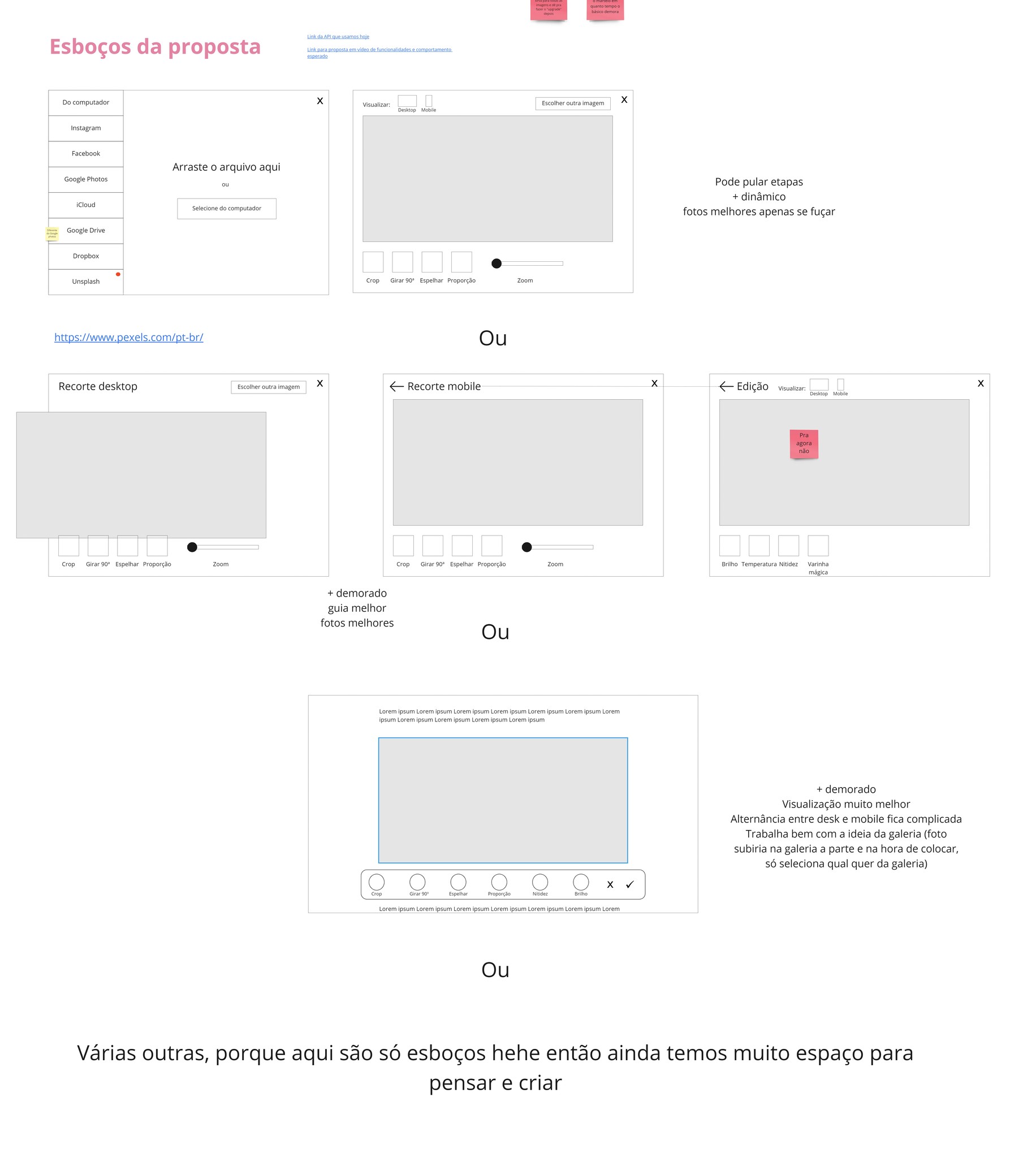
To create the sketches, I also researched and documented several different UIs with image loading and editing, which also contributed to the construction of the prototype in Figma.

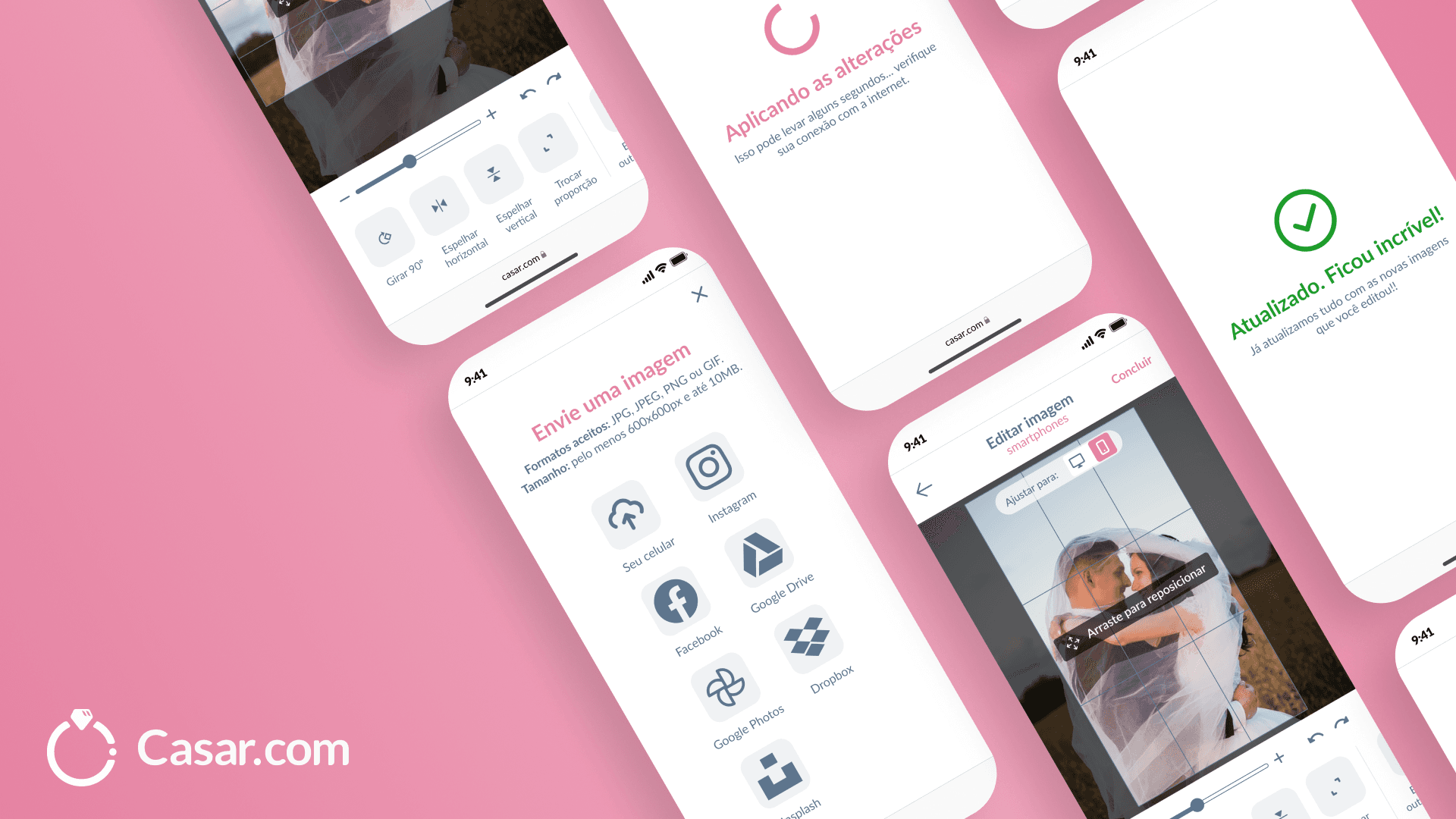
Interactive Figma
Adoption of the tool by current users
It's important to note that the new ones will have to use the tool when creating a new site.
But what about those who have already edited all the photos? Will they stay with the old and distorted photos?
Thinking about this, I designed a modal with custom icons to advertise the novelty to the current users when they entered the site.
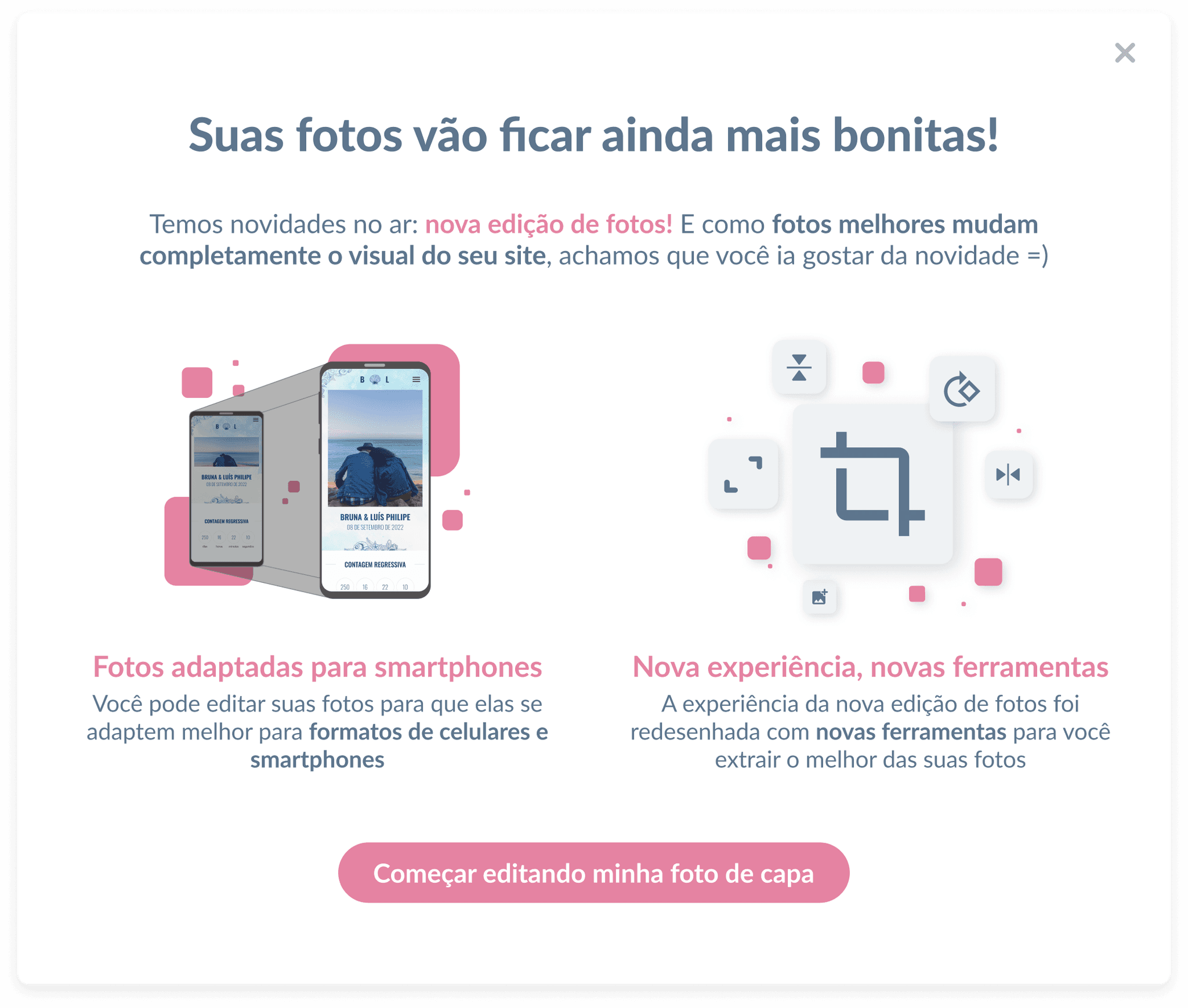
Launch and documentation
We decided to do a phased launch, that is, launching it to the users in different phases and gradually. With this, we could find eventual bugs in the solution and solve them while they were still impacting only a part of the users, not letting the problem scale.
In addition, the entire solution and its particularities, such as the launch and the details of interaction with the user, were detailed in a requirements document for the development team with acceptance criteria so that the solution would be approved before deploying. But it's important to clarify that this does not exclude the handover to the development team with conversations to clarify the solution nor the follow-up as the solution is being developed.
Next steps
The first next step of this project would be to do usability tests and correct the main problems found. Only then would the solution go to the development team, with me following the whole process and testing the final solution before launching to the users.
After the launch, we would need to analyze the results, but it's important to note that I left Casar before the solution was launched, so I couldn't do this analysis. However, the metrics I would use are:
- Reduction of tickets on the theme in CX
- Reduction of site deletion (now automated and with a survey that I designed to help populate the Problem Space)
- Customer Satisfaction Score (CSAT) analyzing this phase of the journey with the editing survey